
Release Notes 6.15.0
Version 6.15.0 introduces major enhancements that make modelling more collaborative, flexible, and efficient. This release focuses on enabling parallel teamwork, improving formula robustness, and delivering a smoother, more responsive editing experience in the Model Editor.
Parallel Editing for the Model Editor
Validation Warnings Displayed Directly on Nodes
Monaco Editor Integration for Formula Editing
List Input Support in EXPANDSINGLE()
Parallel Editing for the Model Editor
The Model Editor now supports parallel access, allowing multiple users to work on the same model at the same time. This change makes collaboration in Valsight smoother and more efficient, especially for teams working on complex models together.
Multiple users can open and view the same model simultaneously.
When one user edits an object (e.g., a node), it becomes temporarily locked for others to prevent inconsistencies, while remaining visible in read-only mode.
The header now displays active users currently viewing or editing the model.
This live synchronization experience mirrors the collaboration behavior already familiar from the workspace, ensuring teams can build, review, and refine models together without interruptions.
Validation Warnings Displayed Directly on Nodes
Validation warnings are now displayed directly on affected nodes in the Model Editor, making it easier to locate and resolve issues at a glance. A warning icon appears in the top-right corner of any node with validation issues. Clicking it opens a detailed list of all relevant validation messages. The visibility of validation icons can be toggled on or off via Model Editor → “…” (bottom menu) → Node KPIs → Validations. This view preference is saved per user and project, while the centralized validation view remains available for detailed inspection.
A new Formula Editor
The Formula Editor in the Model Editor provides now a modern and more powerful editing experience. This change lays the groundwork for future enhancements such as inline validation, warnings, and improved autocompletion. Further, the new editor ensures smoother performance and a more responsive editing workflow.
List Input Support in EXPANDSINGLE()
The EXPANDSINGLE() function now supports list inputs, allowing users to expand multiple level values in a single, concise expression. This enhancement simplifies formula creation and improves model readability.
For example:
EXPANDSINGLE(100, "Year", ["2025","2026"], "Product", ["Car", "Truck"])This expansion replaces the need to write multiple separate EXPANDSINGLE() calls for the same level, saving time and reducing redundancy.
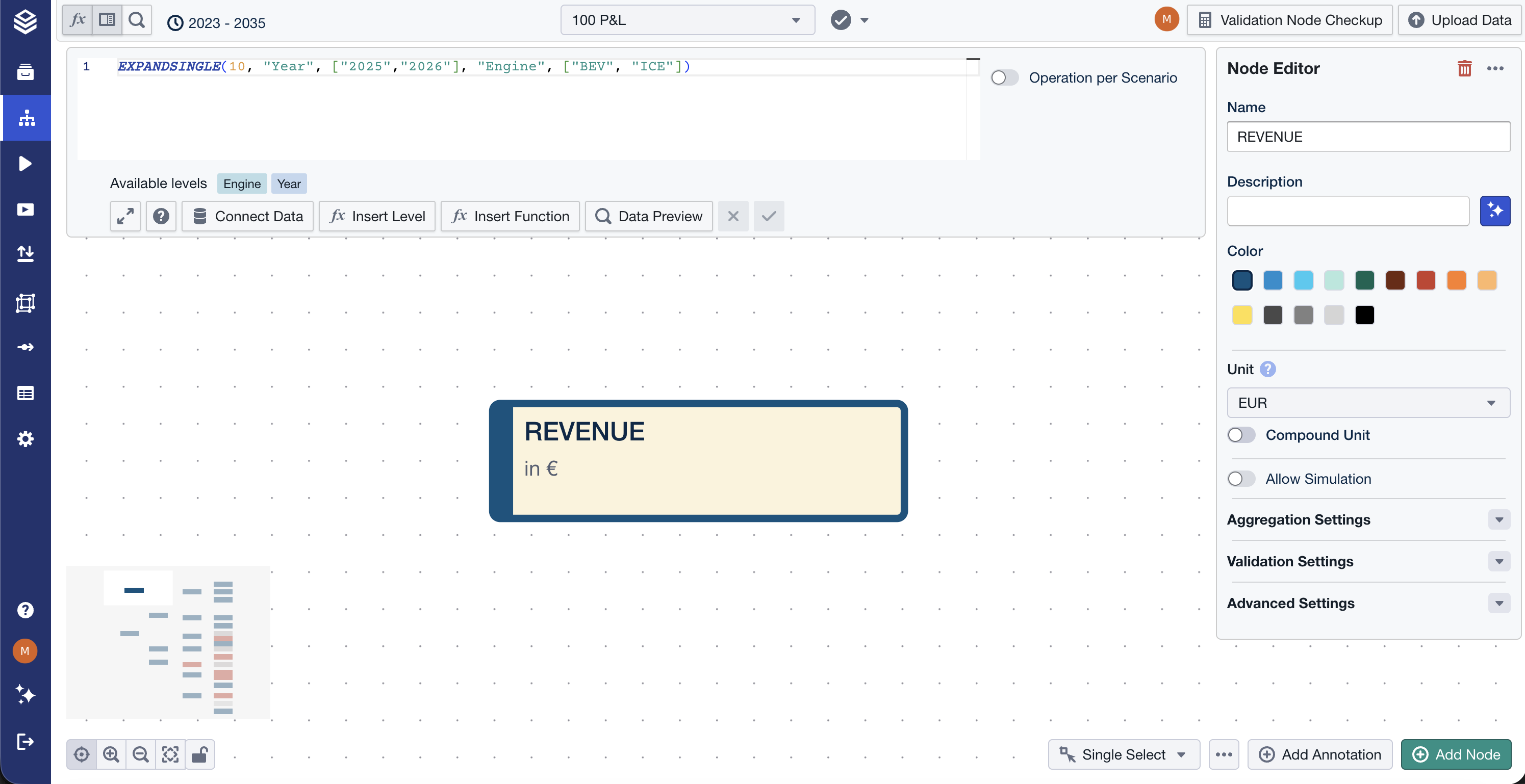
For more information, please visit our EXPANDSINGLE documentation.
Other Improvements
Model Editor: Layout Lock
A new Layout Lock feature prevents accidental movement of nodes and annotations while editing or exploring models. When enabled (padlock icon in the bottom control bar), nodes and annotations cannot be dragged or resized, but all other editing, navigation, and connection actions remain available.Optional Validation Argument for CAGR()
TheCAGR()function now supports an optional fourth parameter for validation handling. With the newFailOnInvalidmode, rows that cause errors—such as non-real numbers or division by zero—are excluded from the result, allowing valid rows to be calculated successfully. The defaultNoValidationbehavior remains unchanged for backward compatibility. For more information, please visit our CAGR documentation.Annotations Enhancements
Hide Annotations now also hides dividers created via the annotation dialog.
Double-clicking a sticky note now opens its text editor directly, making editing faster and more intuitive.
For detailed information on these features and more, visit our documentation.
Happy Simulating!