
Annotations
Annotations enable teams to add contextual information and visual structure directly to a model, making complex logic easier to understand and collaborate on without affecting calculations or results.
When to use it
To explain model logic, assumptions, or decisions directly where they apply
To highlight related nodes or sections within large or complex models
To make models easier to review, hand over, or discuss with others
To visually separate different conceptual areas (e.g. inputs, calculations, KPIs)
How it works
Annotations are elements in the Model Editor that exist purely for documentation, orientation, and collaboration. They do not influence calculations or simulation results.
Three annotation types are available:
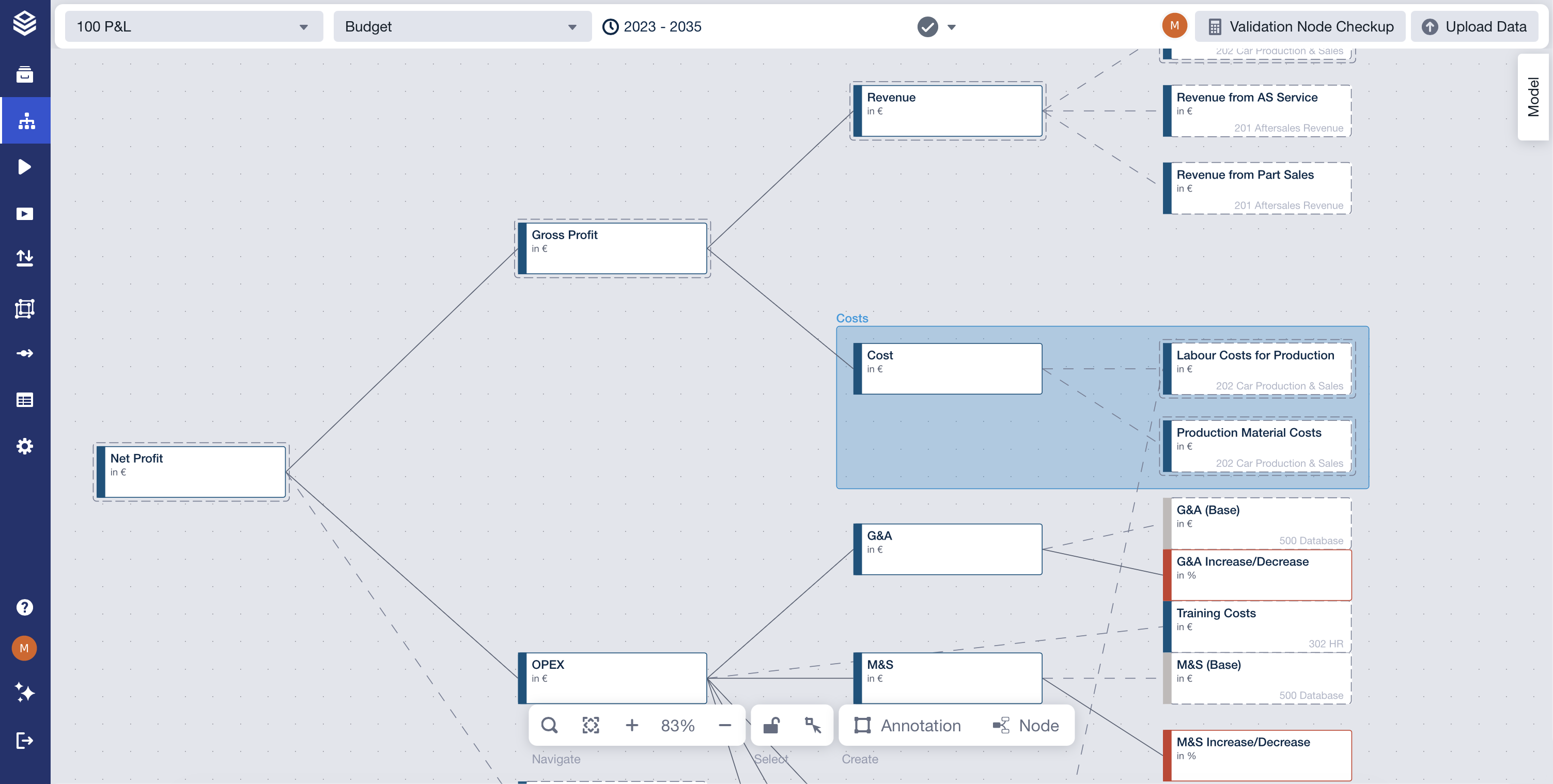
Frames
Visually group related nodes using a labeled and color-coded container to indicate conceptual relationships.
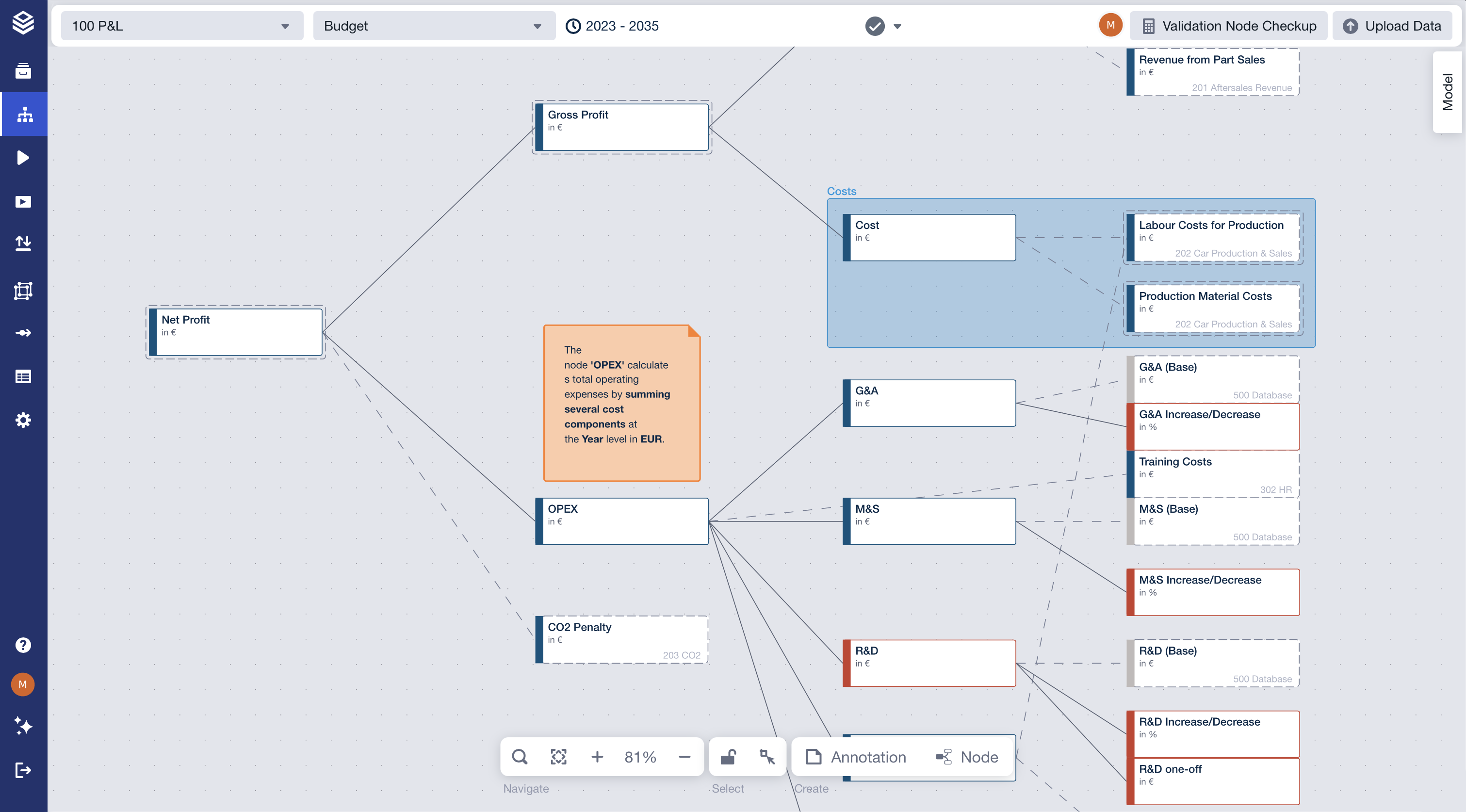
Sticky Notes
Free-form text elements placed anywhere in the model to add explanations, comments, or reminders.
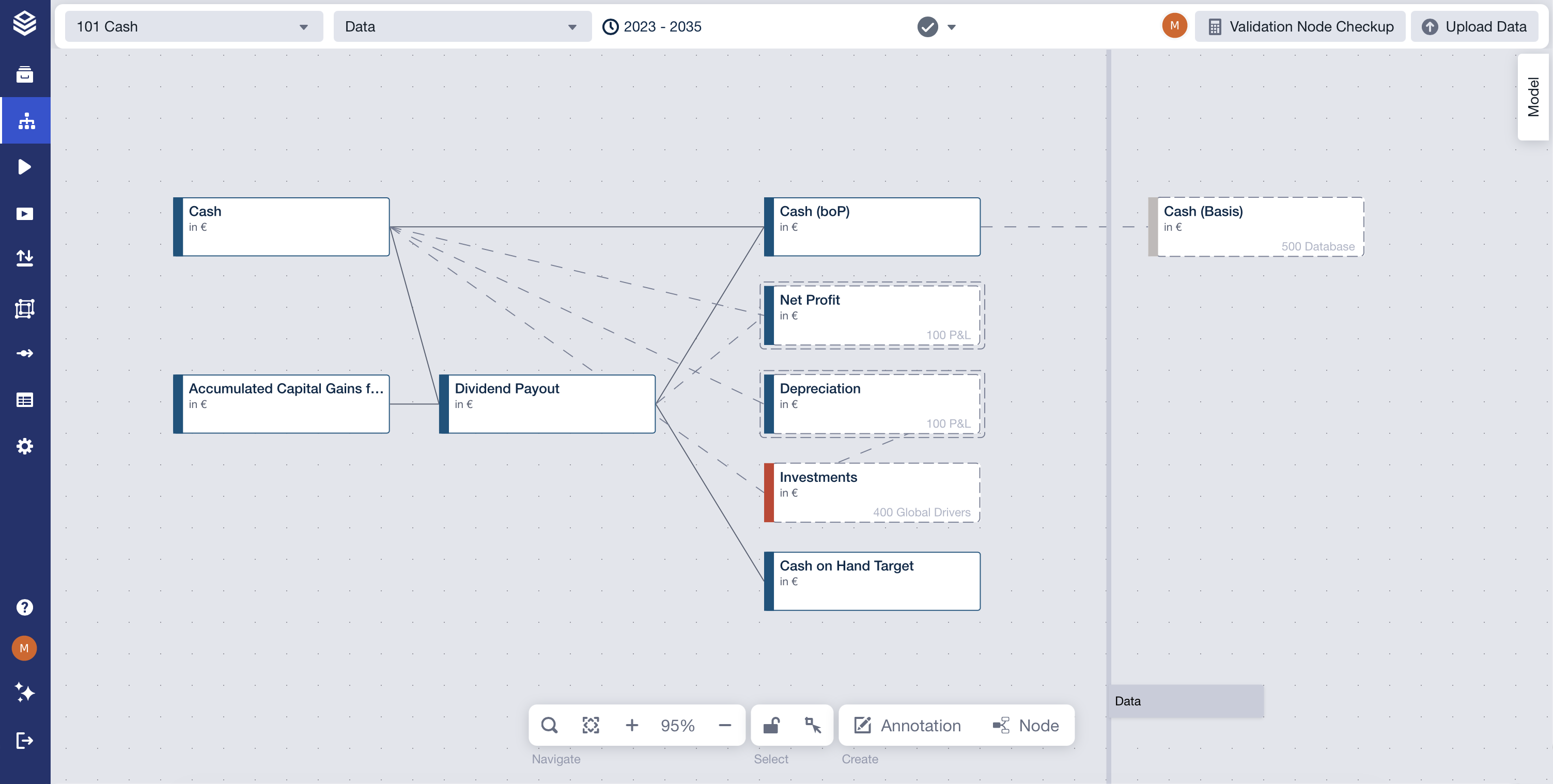
Dividers
Vertical separators used to visually structure large models into clear sections.
Annotations can be shown or hidden globally via a toggle, allowing users to switch between a clean modeling view and a more documented view depending on their task.
Using the feature
You can place annotations anywhere on the canvas to document or structure your model.
You can edit sticky note text directly by double-clicking it.
You can toggle annotation visibility to focus either on structure and documentation or on pure model logic.
Limitations & edge cases
Annotations are purely visual and informational; they never affect calculations or data.
Hidden annotations (including dividers) are not visible until re-enabled via the toggle.
Annotations do not enforce relationships—frames visually group nodes but do not create logical dependencies.
FAQ
Can I reuse annotations in other models or projects?
Yes. Sticky notes and frames can be copied and pasted across models and projects.
What happens to dividers when annotations are hidden?
Dividers are hidden together with other annotation types.
Can annotations be attached to specific nodes?
Annotations can be positioned near nodes for context, but they are not technically bound to them.
➡️ For more detailed questions, see the Annotations section in the FAQs.