
Assumptions
Assumptions represent explicit views on how the future might develop. They capture planned or discussed changes and apply them consistently across the model to explore alternative outcomes.
Why are they relevant
For planning or discussing possible future developments
When a change affects multiple values or drivers at once
To group related changes into one coherent idea
To comparing the impact of different measures or viewpoints
How it works
An assumption describes an encapsulated change on top of the base data.
Each assumption:
Represents one idea or measure (e.g. market growth, cost increase, hiring plan)
Groups all related changes that belong to that idea
Can affect multiple line items and years at once
Exists independently from other assumptions
Assumptions make it easy to understand what changed and why, without having to inspect individual calculations.
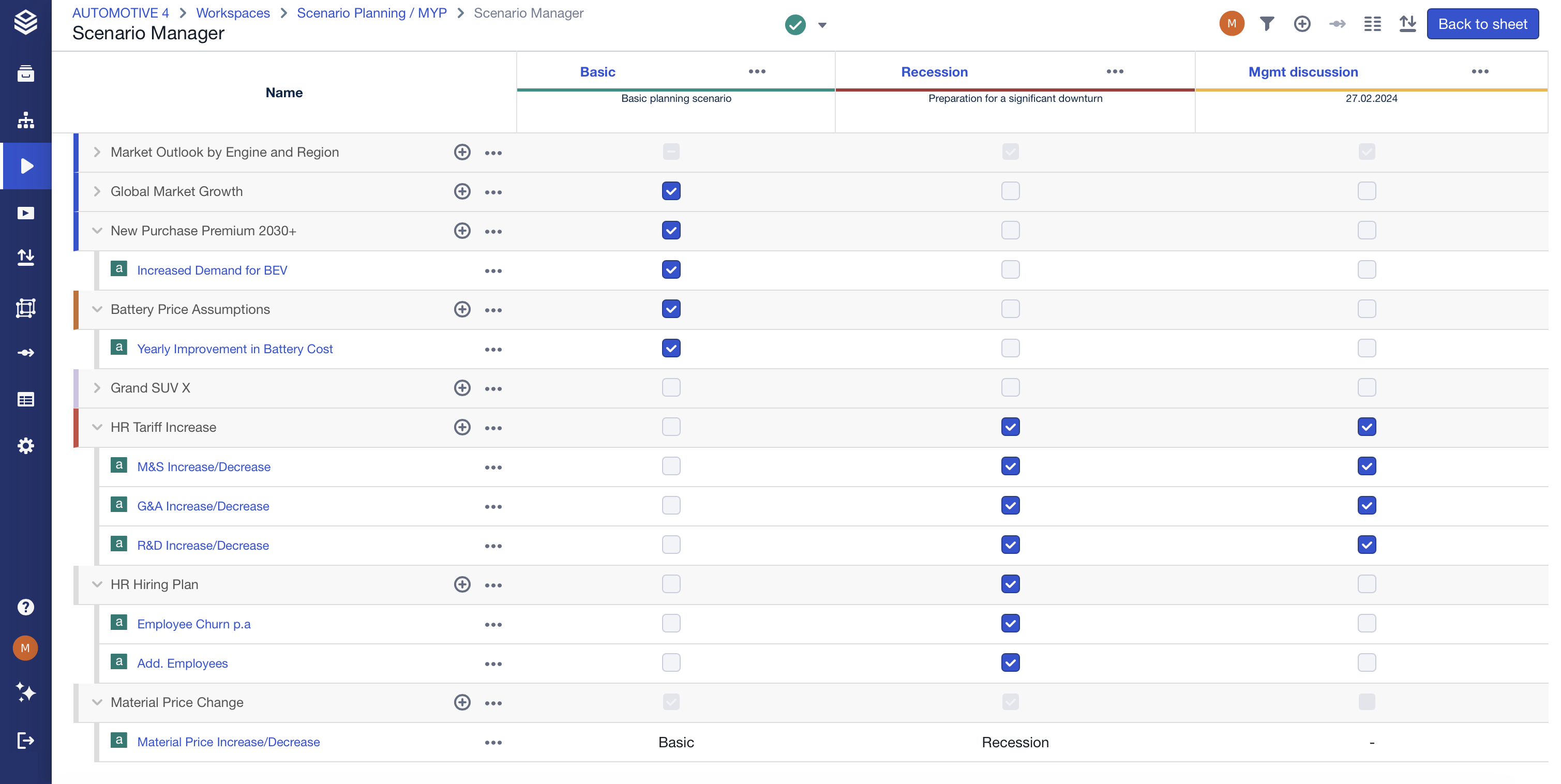
Setup
Assumptions are created and managed in the Scenario Manager.
Once created, they can be reused, combined, or reordered to match planning discussions and priorities.
Using the feature
Use assumptions to evaluate alternative developments or planned measures.
Group related changes into a single assumption instead of spreading them across the Scenario Manager.
Review an assumption’s impact at a glance with just one click.
Access & permissions
Assumptions follow workspace and scenario permissions.
Users with access to the Scenario Manager can create and edit assumptions.
FAQ
What is an assumption in planning terms?
An assumption is a stated view or estimate of how the future might develop.
Can one assumption affect multiple values?
Yes. An assumption typically groups several related changes.
Are assumptions tied to a single scenario?
Assumptions can be reused and combined across scenarios.
Do assumptions replace base data?
No. They apply changes on top of the base data.
➡️ See the Assumptions section in the FAQs for more questions.