
Working with different Model Baselines
Baselines allow you to maintain multiple versions of logic and results within a single model. They make it possible to compare different scenarios—such as Actuals, Budget, or Plan—without duplicating the model structure.
How they work
A baseline represents a scenario-specific version of logic inside the same model.
All baselines share:
The same nodes
The same structure
The same dimensions and data connections
What differs per baseline:
Node formulas and operations
Assumptions and resulting values
This means one node can behave differently depending on the selected baseline, while still being the same node conceptually.
Baselines make scenario comparison straightforward because all versions live in one consistent structure.
Setup
Baselines are created and managed at the project level.
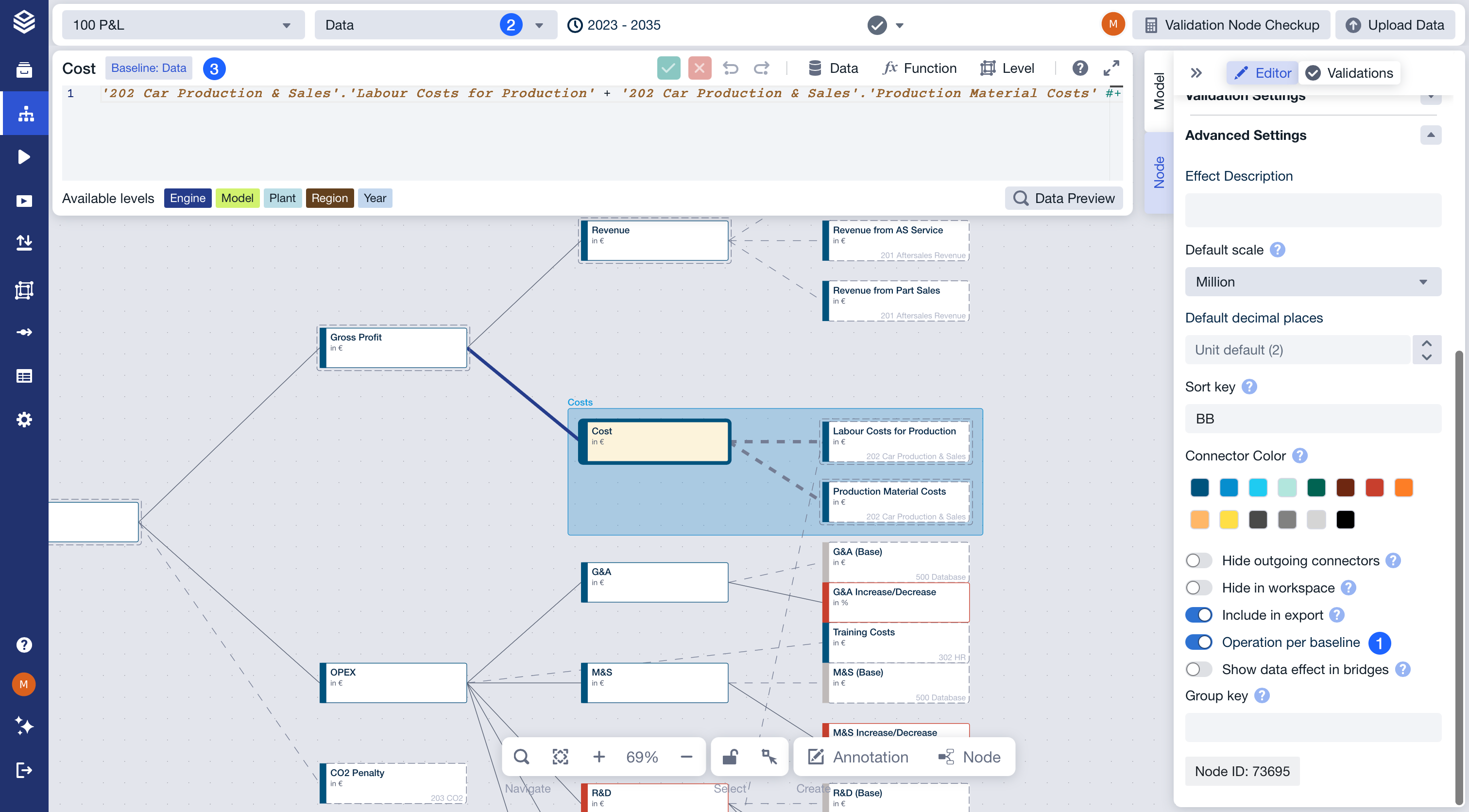
Once a baseline exists, node logic can be adapted per baseline as needed.
Activate the Operation per baseline toggle
Select the desired baseline from the dropdown
The formula editor will always display the current baseline
Using the feature
Use baselines to separate Actuals from forward-looking plans.
Create multiple planning versions to compare alternative assumptions.
Keep older logic available when methodologies change.
Switch baselines to review and compare results consistently.
Baselines are not a replacement for scenarios or workspaces.
Access & permissions
Baseline management follows the same permissions as the model.
Users with edit access can create and modify baselines.
FAQ
Are baselines separate models?
No. They are different versions of logic within the same model.
Does changing the baseline affect only one node?
No. Baselines apply at the model level. When you change the baseline, all nodes are recalculated using the logic and assumptions of that baseline.
Can I compare baselines directly?
Yes. Baselines are designed to make scenario comparison easy.
Should I create a new model instead of a baseline?
Use a new model only if the structure needs to change. Use baselines when the structure stays the same.
When should I use a baseline instead of a scenario?
Use a baseline to define the underlying version of your model (like Actuals or Plan). Use scenarios to test changes on top of that baseline.
➡️ See the Baselines section in the FAQs for more questions.