
Parallel Access in the Model Editor
Overview
Parallel editing allows multiple users to access and work on the same model simultaneously in the Model Editor. This feature significantly improves collaboration, particularly for teams managing complex models, by removing the need to force others out of the model to make changes.
Objects such as nodes and annotations can now be viewed and edited collaboratively in real time—with clear indicators showing who is currently editing what.
Key Benefits
Multiple users can open, view, and work on the same model at the same time.
Objects being edited are automatically locked for others to prevent conflicts.
Locked objects remain visible in read-only mode.
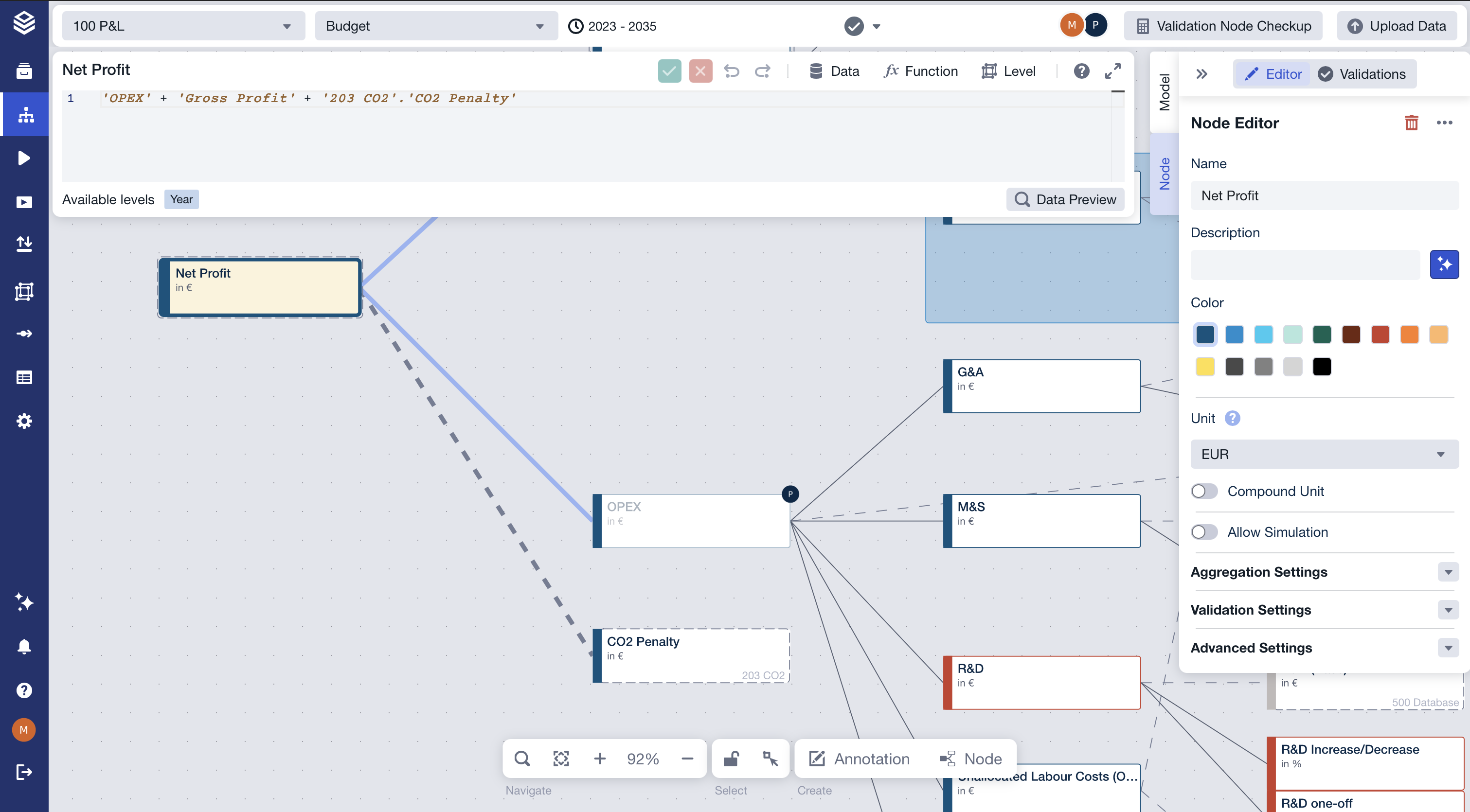
The header displays a list of all users currently active in the model.
Real-time synchronization ensures changes are instantly reflected for all users.
How It Works
Live Collaboration
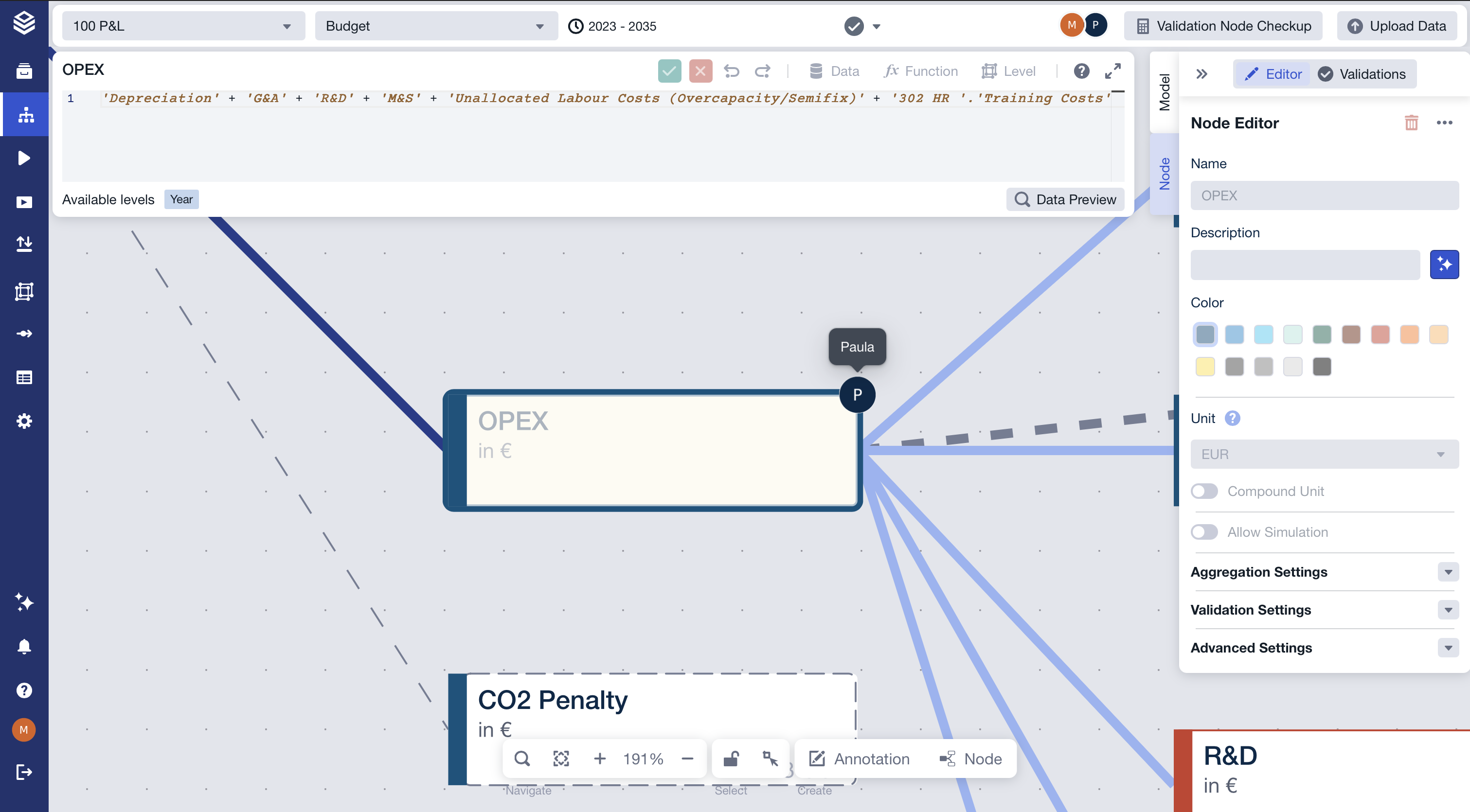
As soon as a user edits a node or annotation, it becomes locked to others.
Other users can still view the object (including its properties), but cannot make changes until the lock is released.
The locking user’s initials and name appear as an icon directly on the object.
Changes are instantly synced across all open sessions—no manual refresh required.
Locked Objects
The following actions are blocked for locked objects:
Object Type | Blocked Actions |
|---|---|
Nodes | Editing operations or metadata, deleting |
Annotations | Editing, deleting, moving or resizing |
However, locked objects can still be copied.
⚠️ Swimlanes are not subject to locking and remain editable by all users.
Viewing Activity
All active users are shown in the model header as a dropdown with initials and full names.

View-only users can also see the active user list and locked object indicators.
Lock Handling & Timeouts
If a user disconnects while editing an object, the lock is automatically released after a short timeout.
There is no option to forcefully remove another user or override a lock.
Access & Permissions
No special permission is required to use parallel editing.
Edit rights are required to make changes or lock objects.
Known Limitations
While model objects are synced in real time to the workspace, charts and validation results do not automatically reload. Manual refresh may be required to see updates reflected elsewhere.
Only one user can edit a given object at a time.
Summary
Parallel Editing in the Model Editor brings Valsight's collaborative capabilities to the core of model development. With real-time sync, live user indicators, and automatic locking, teams can now build and refine models together—without interruption.
This feature enables:
Seamless collaboration for distributed teams
Safe, conflict-free editing
Greater transparency into who is working where in the model
Whether you're troubleshooting a complex driver tree or fine-tuning annotations, you can now do it together—in the same model, at the same time.