
Data & Dimension Validation
Validate that uploaded data is correctly formatted, contains expected values, and complies with your defined dimensions.
Overview
After uploading data into Valsight, you can validate it to check for formatting issues, unexpected values, or mismatches with your dimension definitions. The validation reports the type and location of any issues found, so you can fix them directly in your source data.
How it works
The validation function checks uploaded base data against the project's dimension definitions. It verifies that:
Data is correctly formatted
Values fall within expected ranges
Level values match the defined dimensions
If deviations are found, the validation tool reports the kind of error and its exact location.
Validating uploaded data
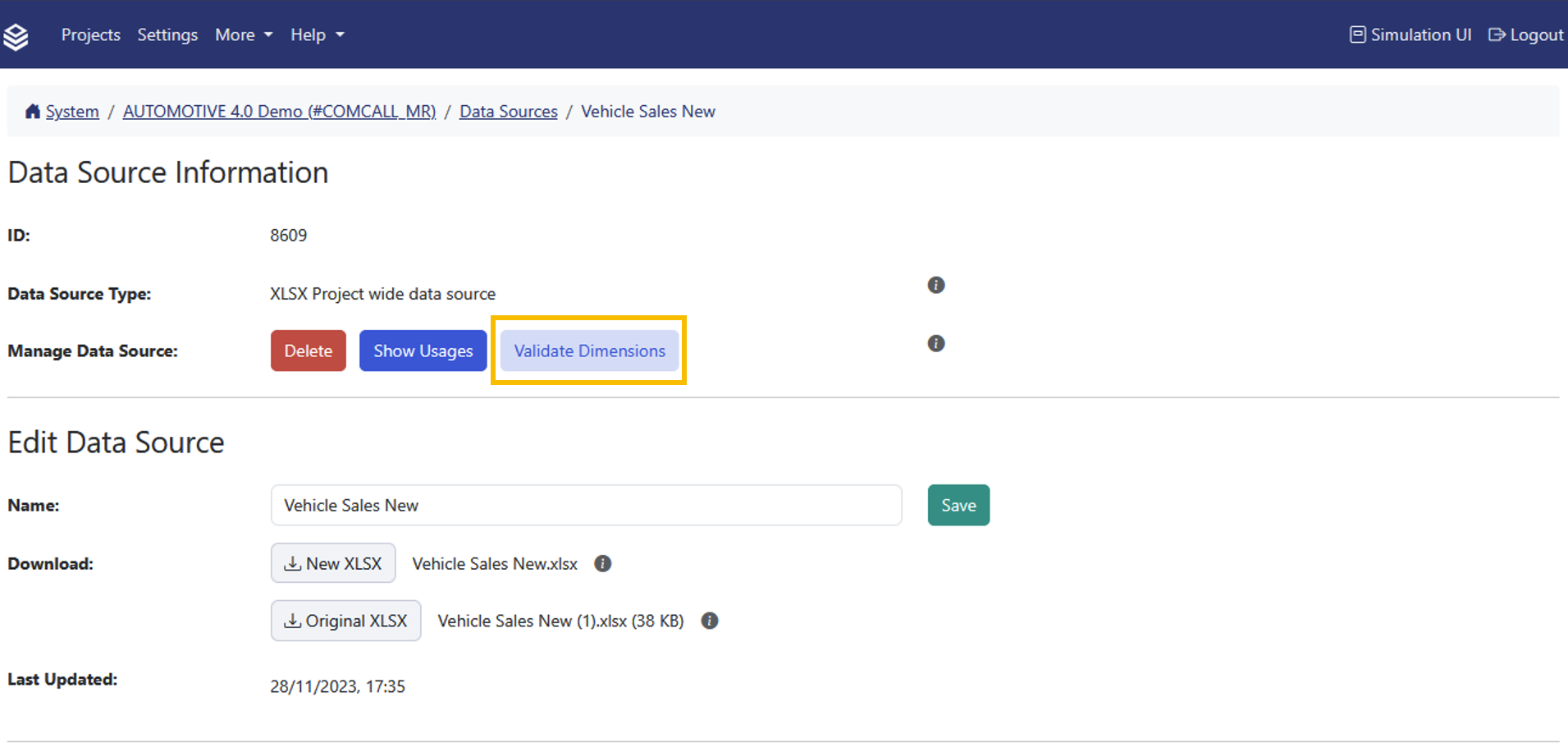
Open the Data Source page for the file you want to validate.
Click Validate Dimensions.
The validation results appear inline, listing any issues with their location and type.
Impact check when changing data sources
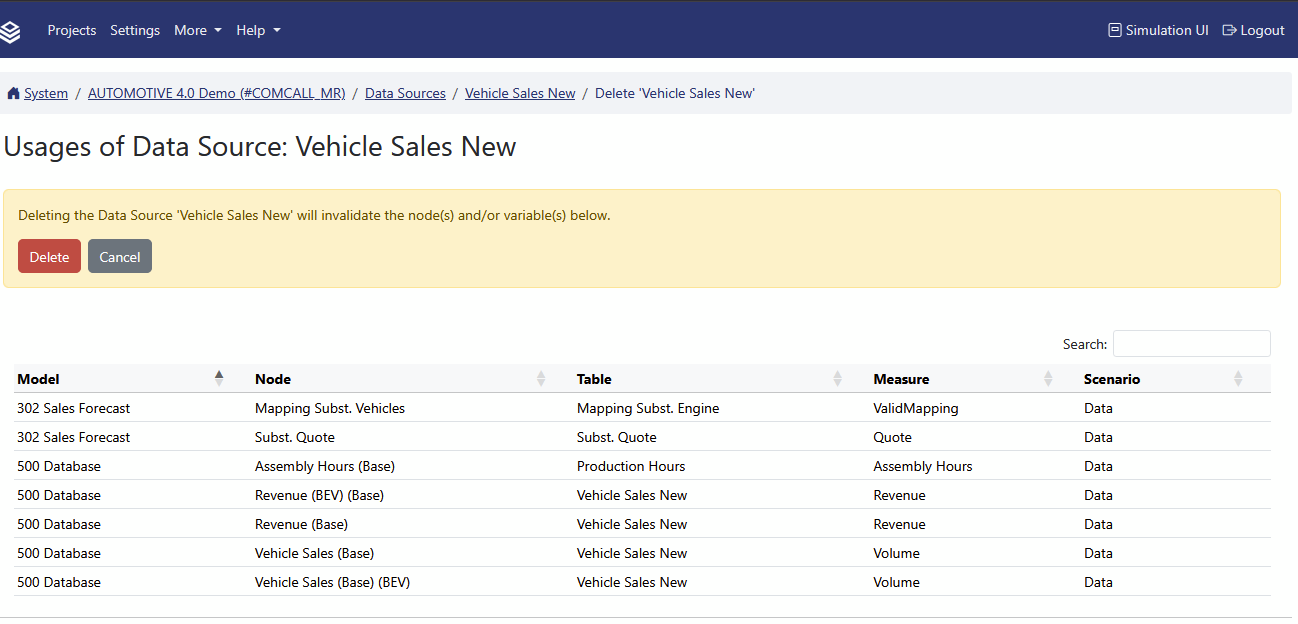
When you rename or delete a data source, Valsight automatically validates the impact on existing nodes. If the change would invalidate any nodes, a list of affected nodes is displayed for review before the action is finalized.
Steps:
Initiate a rename or delete action on a data source.
Review the list of affected nodes that Valsight displays.
If the invalidations are acceptable, confirm the action by clicking Rename or Delete.
FAQ
What does data validation check?
It checks that uploaded data complies with your dimension definitions, is correctly formatted, and contains no unexpected values.
Do I need to validate every time I upload?
It is recommended after any data upload or dimension change to catch issues early.
What happens if validation finds issues?
The validation report lists each issue with its location. You can then fix the problems in your source data and re-upload.
Related documentation
Model Validation: verify model formulas and node compatibility
Workspace Validation: check workspace scenarios