
Scenarios
Scenarios describe possible future developments of your business. They combine assumptions and measures to explore how outcomes change under different conditions.
Why it is relevant
Enables structured thinking about alternative futures
Allows comparison of strategic options and external developments
Keeps planning discussions transparent and consistent
Supports decision-making under uncertainty
How it works
A scenario represents a set of changes applied on top of a baseline.
Each scenario:
Is always based on one baseline
Combines multiple assumptions and measures
Applies all changes as deltas to the baseline values
Represents one coherent view of a possible future
Because all scenarios share the same model structure, results remain comparable across scenarios.
Setup
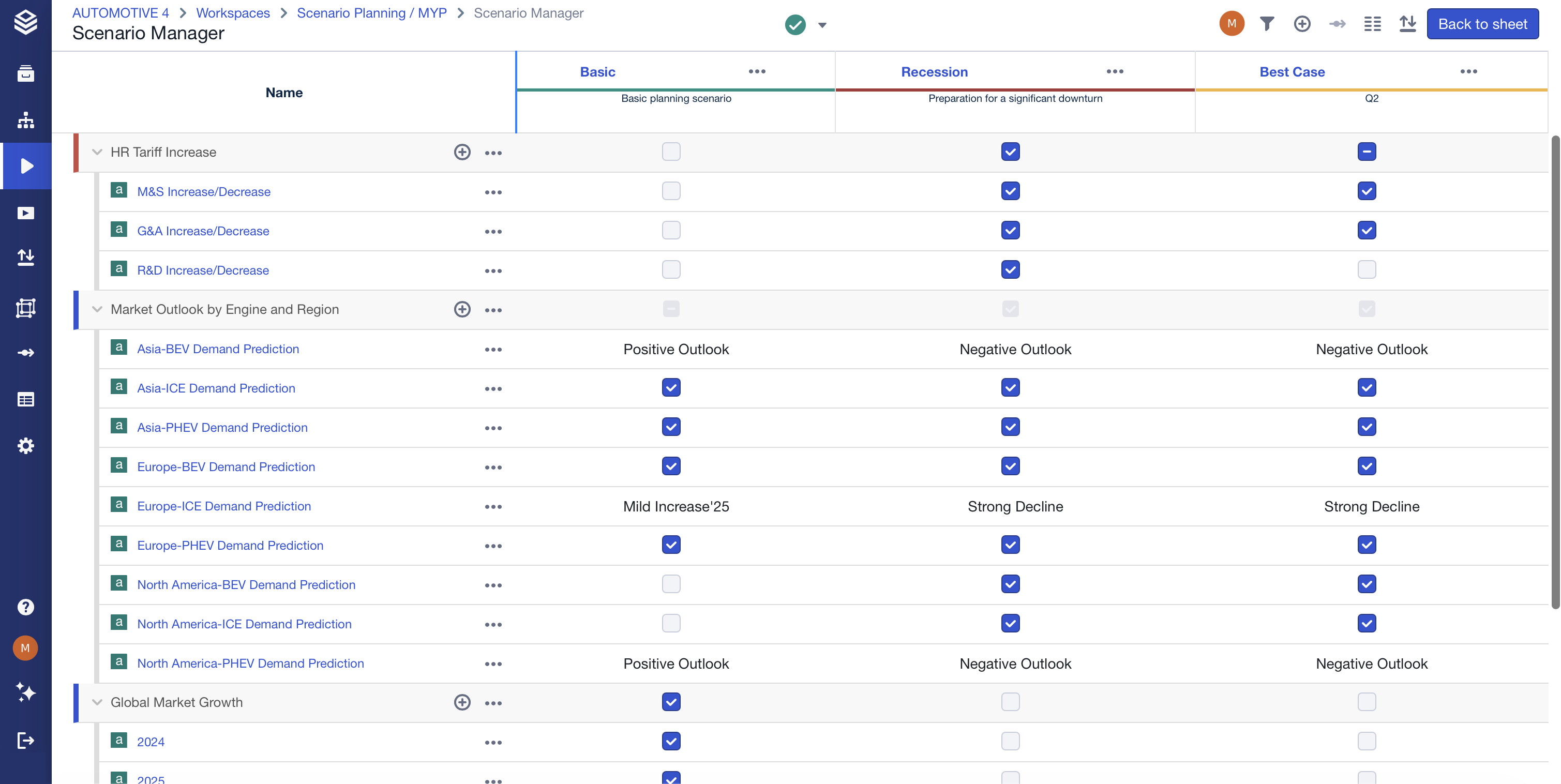
Scenarios are created and managed in the Scenario Manager.
When creating a scenario, you define which baseline it builds on. Additional settings such as naming or visual identification help distinguish scenarios later on.
Using the feature
Use scenarios to model different strategic or environmental outcomes.
Combine assumptions to form realistic future narratives.
Compare scenarios to understand sensitivities and trade-offs.
Version scenarios as planning evolves.
Access & permissions
Scenarios follow workspace permissions.
Users with access to the Scenario Manager can create, edit, and compare scenarios.
FAQ
What is the difference between a baseline and a scenario?
A baseline defines the core logic and base values. A scenario applies changes on top of that baseline.
Can a scenario include multiple assumptions?
Yes. Scenarios typically combine several assumptions and measures.
Can scenarios be versioned?
Yes. Scenarios support versioning to track planning changes over time.
Do scenarios change the model structure?
No. They only change values, not the underlying model.
Can scenarios overwrite my base data?
No. Scenarios apply changes on top of the base data and are only used to model possible future developments.
➡️ See the Scenarios section in the FAQs for more questions.