
Release Notes 7.0.0
This release introduces powerful new ways to work with Valsight, combining intelligent assistance, clearer scenario analysis, and a refined modelling experience. Version 7.0.0 focuses on helping teams build, understand, and compare models more efficiently and with greater confidence.
AI-powered guidance inside Valsight
A cleaner, more focused Model Editor
Flexible scenario comparisons in a single chart
AI-powered guidance inside Valsight
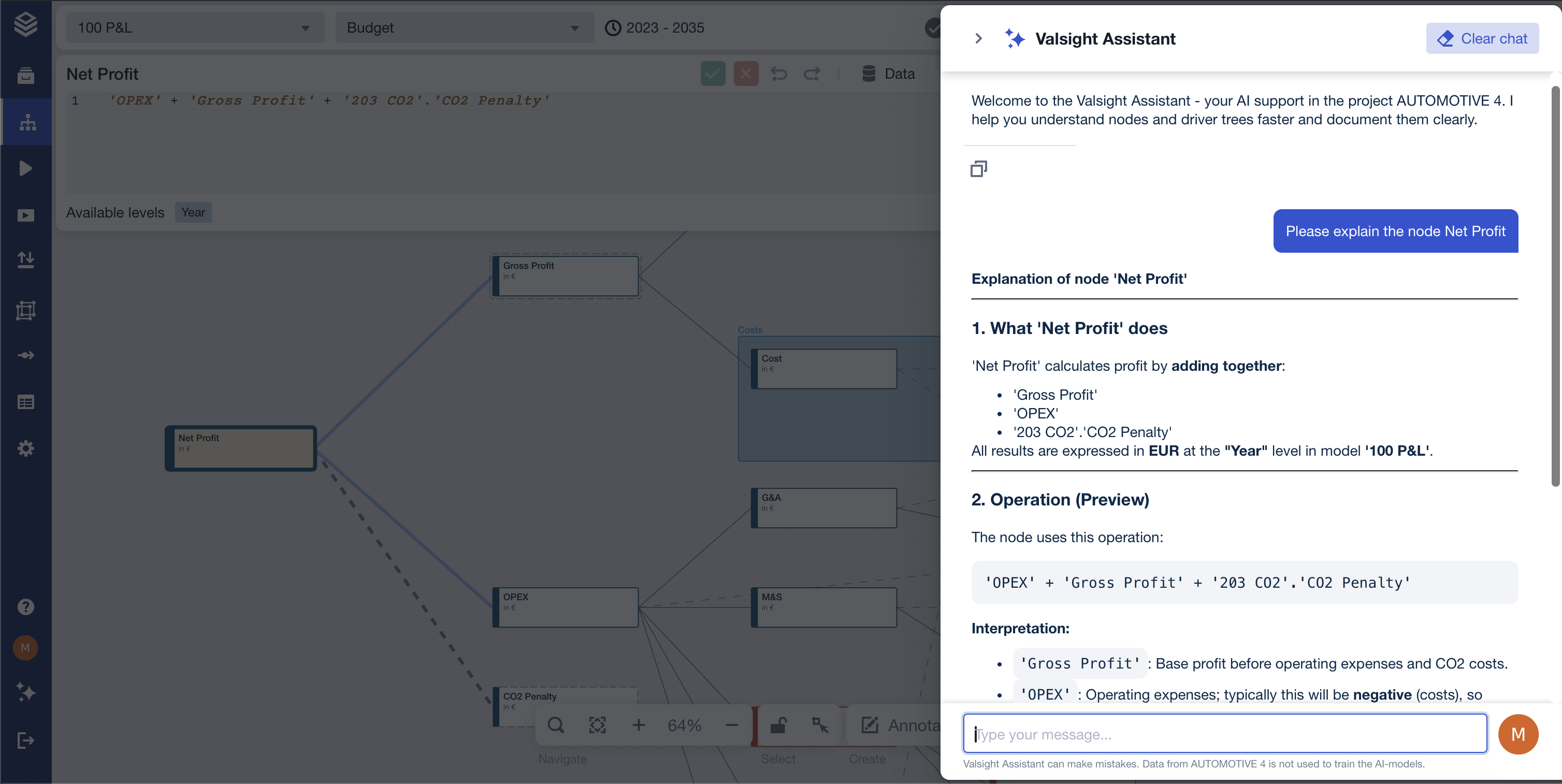
The new Valsight AI Assistant helps you understand models, explore data, and navigate Valsight more effectively. By combining large language models with relevant Valsight context, the assistant can answer questions, explain concepts, and suggest next steps—while always respecting your permissions and requiring your explicit action. This makes it easier to onboard, document models, and gain clarity without leaving your workflow.
A cleaner, more focused Model Editor
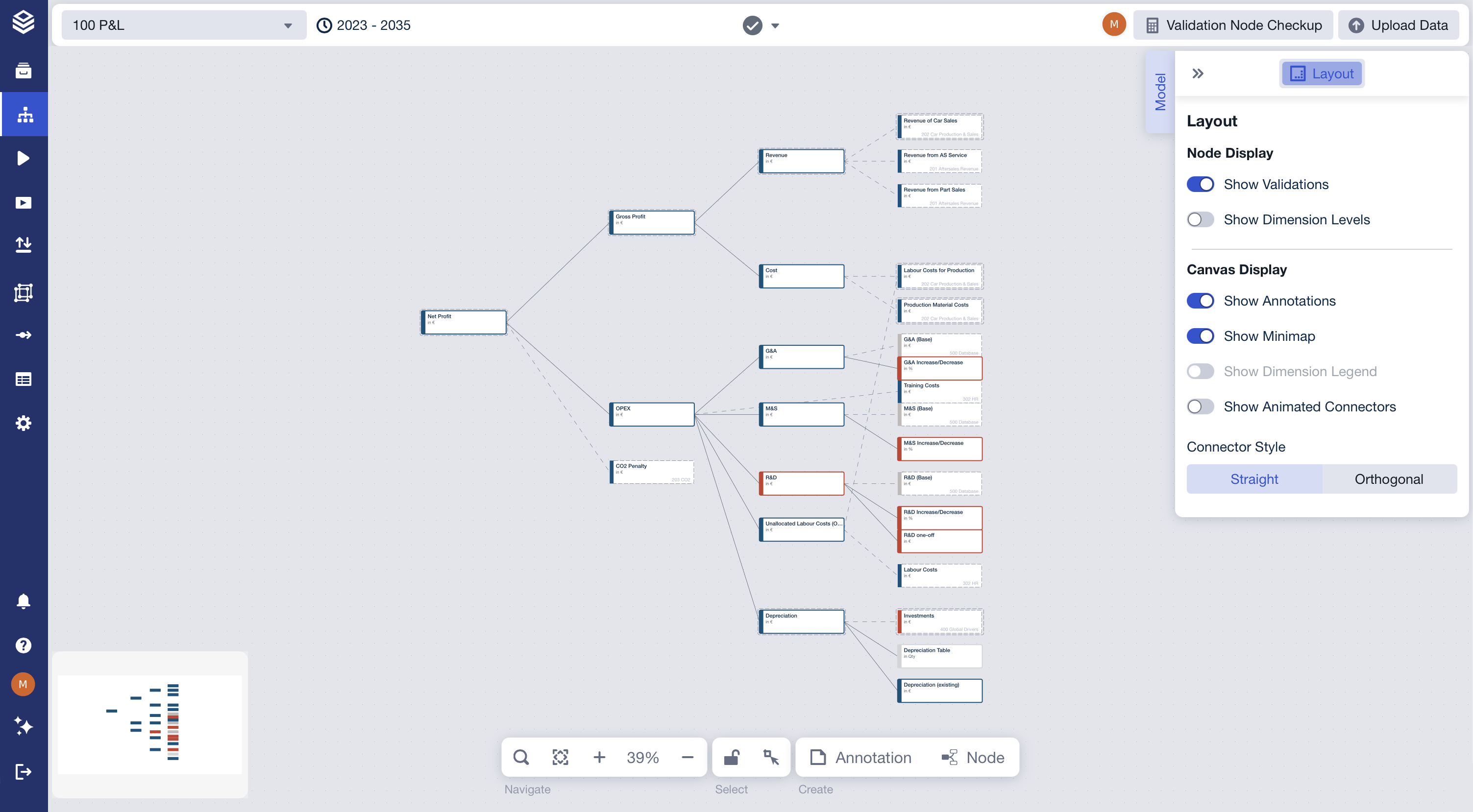
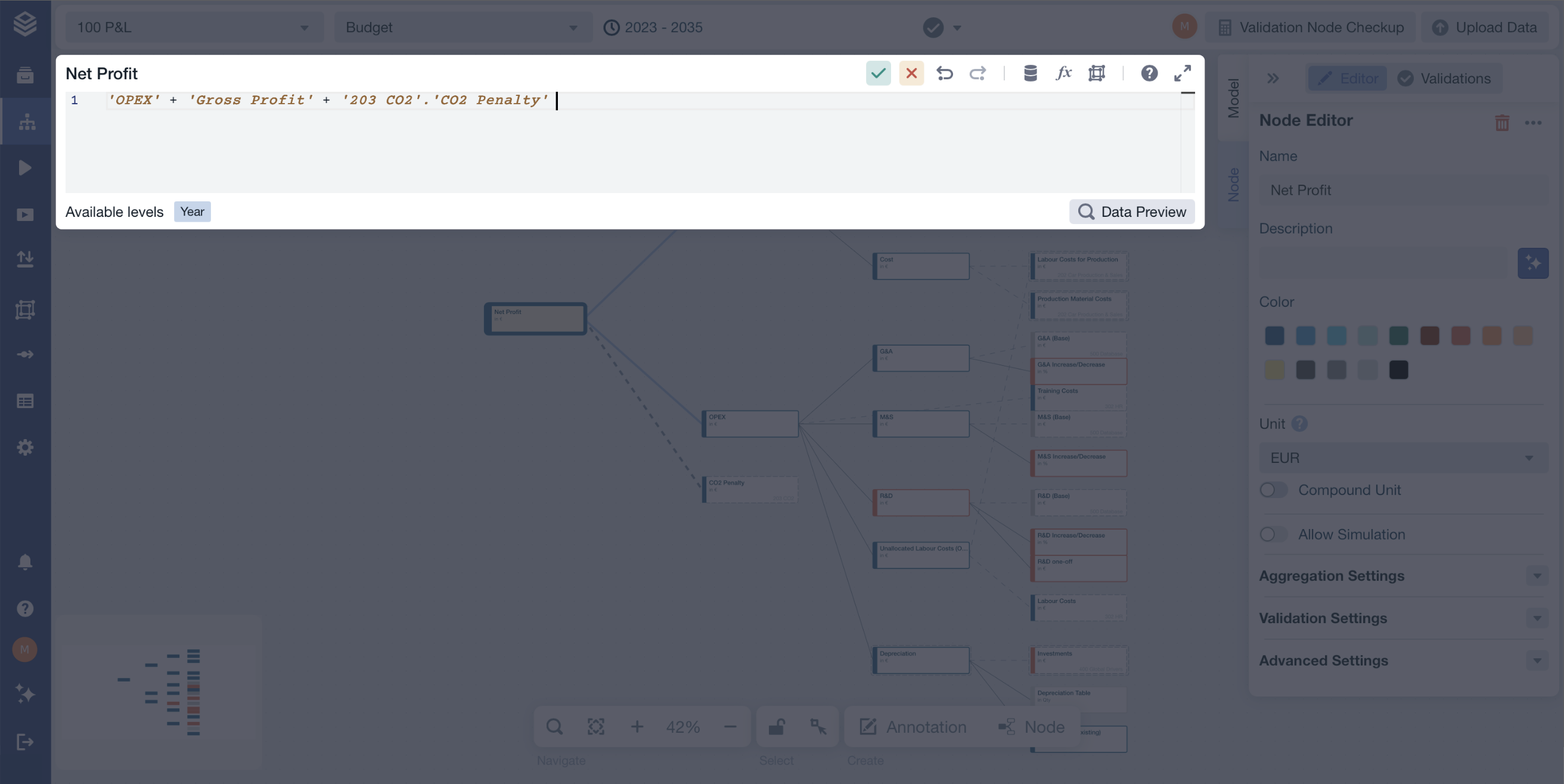
The Model Editor has been refined to reduce visual clutter and help you stay focused on the task at hand. Improvements to the Function Editor, baseline handling, and overall layout create a cleaner, more structured editing environment that feels faster and more consistent. The updated design surfaces the right controls at the right time, making day-to-day modelling smoother and more intuitive.
Flexible scenario comparisons in a single chart
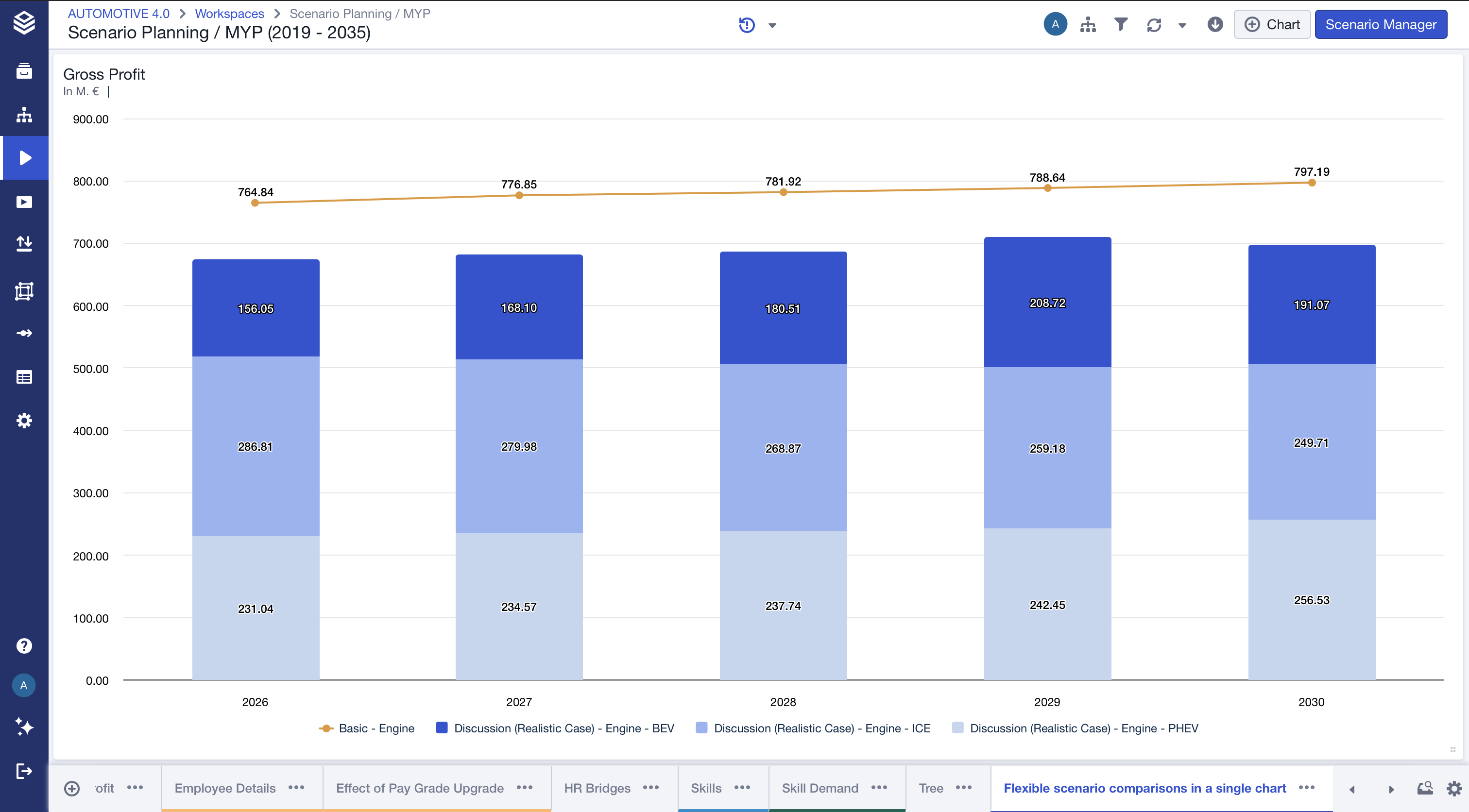
You can now compare multiple scenarios in one chart while showing totals for some scenarios and detailed breakdowns for others. Individual level values can be hidden without removing them from the underlying configuration, making it easier to understand both overall differences and composition drivers in a single view. Hidden elements stay consistent across sessions, are excluded from legends, and are respected in chart exports.
Other Improvements
Clickable Submodel Labels
Submodel labels displayed on nodes are now interactive. Double-clicking the label takes you directly to the corresponding submodel, making navigation across complex model structures faster and more intuitive—without changing existing node interaction behavior.
For detailed information on these features and more, visit our documentation.
Happy Simulating!